Photo text extractor
Read Hangul·English in photos in the browser and copy·save as text. Supports JPG·PNG·WEBP; does not send photos and text to the server.
Photo and language selection
If no image is selected, immediately run the example of Hangul and English for sharing.
Public example, view photo
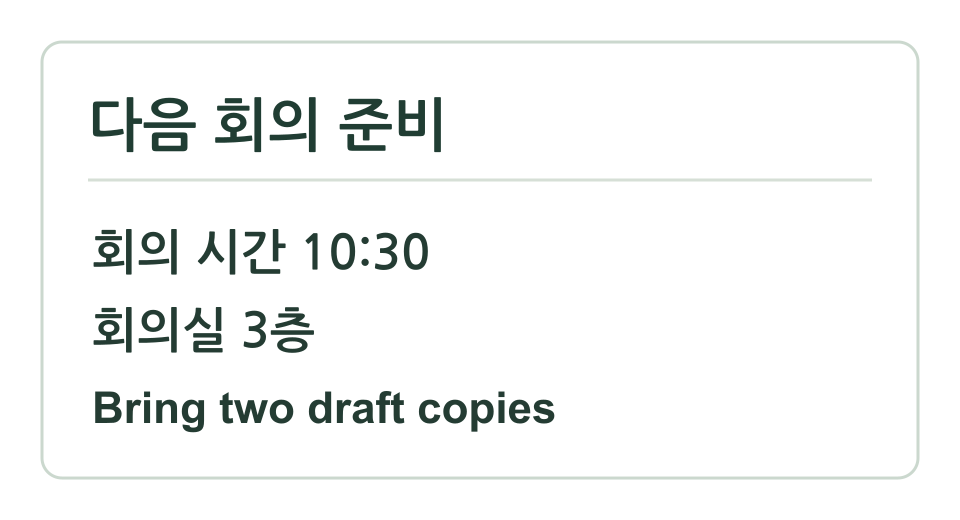
Public example is ready. Run immediately or select a photo.
The recognized sentence in the photo is processed only in browser and not saved or uploaded. May not be accurate, so check the result.
Recognized characters
Public example can read Korean and English sentences.
Blurred or tilted text, small font, tables, and multi-column layouts may cause misreading or incorrect order. Compare OCR results with the original.
Share result
Share the tool link and result text together. No URL is included in the result. Check the below content and then share it.
Method and example of extracting text from photos
Public example contains ‘Prepare next meeting’, ‘Meeting time 10:30’, ‘Meeting room 3rd floor’, ‘Bring two drafts’. Choose Korean+English and the first run shows corrected text from the actual read photo.
Select a photo and choose Korean or English or a other language, then click ‘Read Text from Photo’. For the first run, you can download the OCR program and the selected language material from the same site. Subsequent processing occurs in the browser, and no input photos or recognized text are sent to the server.
This tool supports static images in JPG, PNG, and WEBP formats. Original images larger than 12MB, 6,000px on each side, and 12 million pixels are required first. Image size adjustmentReduce the size. Images can be scaled down to 2,200px·4 million pixels before recognition. Automatic rotation and tilt correction, handwriting recognition, and table structure restoration are not provided.
Frequently Asked Questions
Is the recognized text in the photo saved to the server?
No. OCR processing occurs within the browser. Programs and language materials required for the first run are downloaded from this site, but selected images and recognized text are not uploaded or saved. If sharing results is chosen, users can send the verified text to the device’s sharing menu or clipboard.
Can you read small text and tables accurately?
The recognition result varies based on character size, focus, tilt, light reflection, and background. Automatic rotation, tilt adjustment, and cell structure restoration are not performed. Compare the result with the original and enhance small text by shooting clearly or cutting the photo first.
Can the PDF be read, or is it only handwriting?
The input is a static image in JPG·PNG·WEBP format. Do not open the PDF file directly, and it does not guarantee accurate reading of handwritten text. For photos of paper documents, try again with an image adjusted by a document scanning tool.
Calculation criteria and reference materials
- Tesseract.js — configure browser OCR API Worker
API in the browser Worker that recognizes images and fixes the worker·core·language file path to the same site. Accuracy of recognition results is not guaranteed.
- Tesseract OCR — tessdata_fast language model
A deployment repository for fast LSTM models in Korean and English with Apache-2.0 license. It’s a speed-focused model, and recognition results require original comparison.
- MDN — createImageBitmap()
API that decodes local image data as a bitmap, adjusts the size, and draws it on Canvas.
Verification of calculation criteria: · Calculation·verification principles · Report errors